To get to your documents once you login, click the person icon on the top right:

Note: Subscription & Library does not take you to your library.
You should see a drop down menu. Click on my Library towards the bottom of the menu:
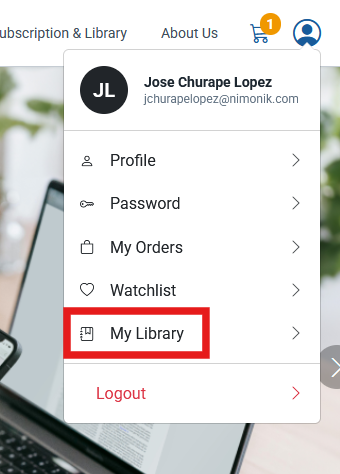
This will take you to your library. In your library, you should see your documents with the following icons:
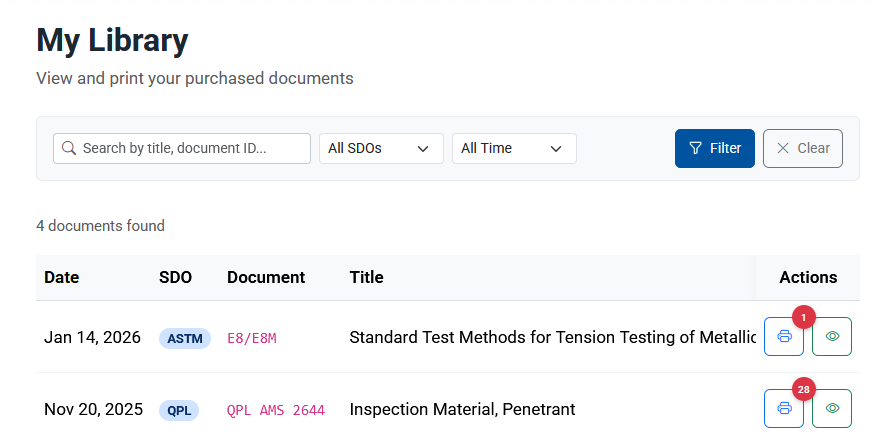
The eyeball lets you view the searchable digital version of your standard through the browser, and printer lets you print. Clicking on the printer will prompt you with an agreement. USE MICROSOFT EDGE
After you accept the condition, you should be able to see your file on a separate window.
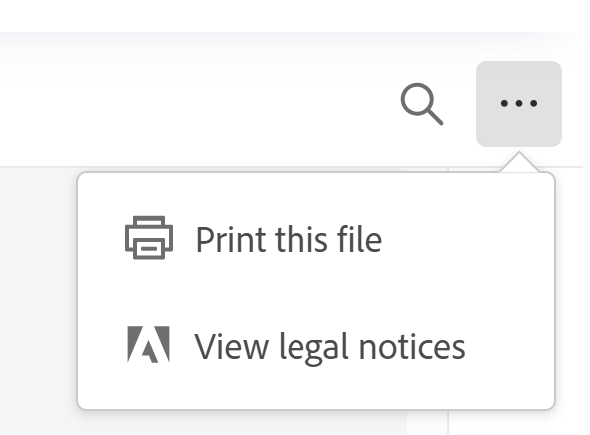
There should be three dots on the top right hand corner of the document preview screen.
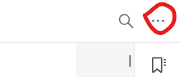
It should look something like this zoomed out:
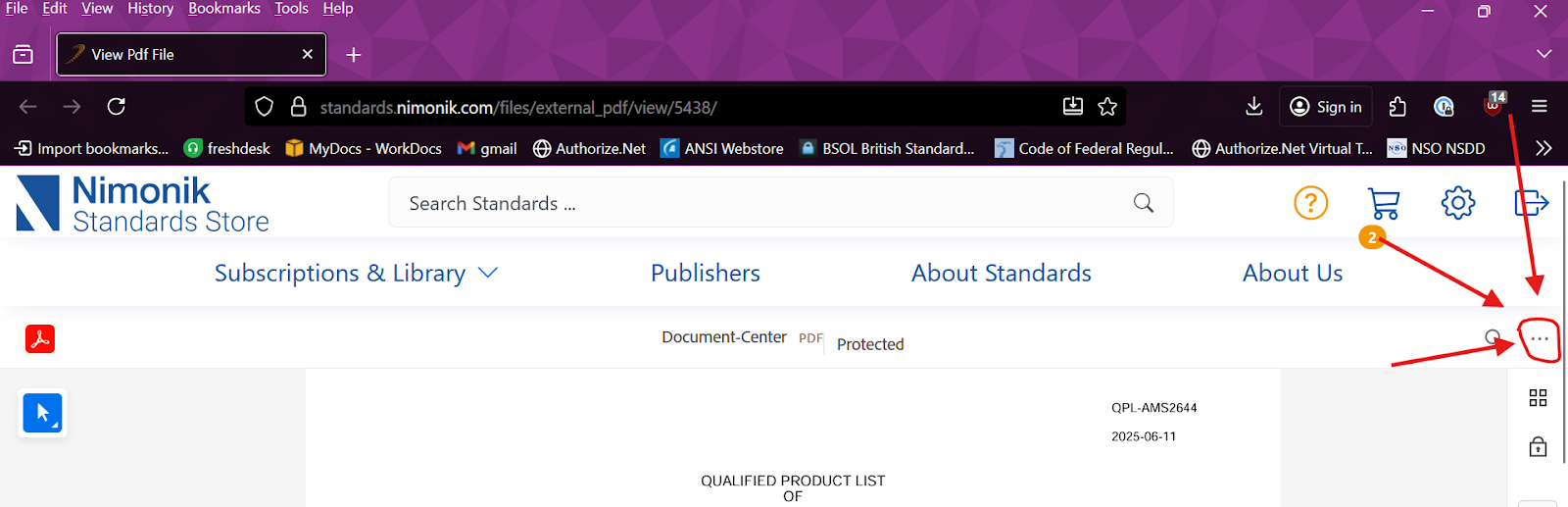
Clicking it should produce a drop down with the "Print this file" option
A new screen will pop out that allows you to choose a printer and adjust the print settings if needed. Click print like normal.
Please let me know if you continue to have issues.
Was this article helpful?
That’s Great!
Thank you for your feedback
Sorry! We couldn't be helpful
Thank you for your feedback
Feedback sent
We appreciate your effort and will try to fix the article