Not every standard is available for download. To check, go to the document's product page and mouse over the i tooltip. This will let you know of all the restrictions. It should look something like this:
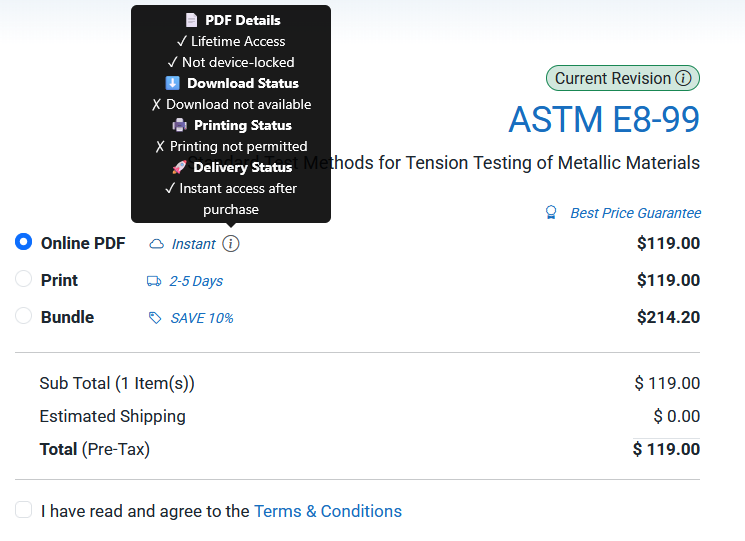
Note that our multi-user subscription does not have any of these restrictions. You can learn more about our subscription from our website: https://nimonik.com/standards/ or by reaching out standards@nimonik.com. One of our account managers will get back to you quickly.
Once you verify that the document is printable, head to your library. To get to your library click the person icon on the top right:

Note: Subscription & Library does not take you to your library.
You should see a drop down menu. Click on my Library towards the bottom of the menu:
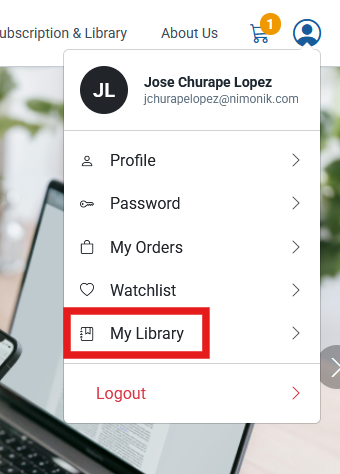
This will take you to your library. In your library, you should see your documents with the following icons:
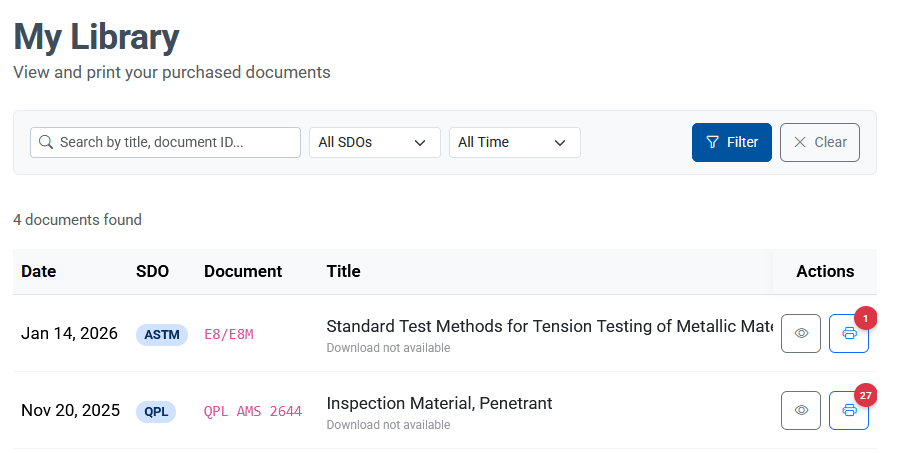
You will see two icons, a printer Icon and an eyeball. The printer icon lets you print your document (if printing is allowed) and the eyeball lets you view and download your document (if the document allows downloads). Scrolling over the eyeball will give you two options:
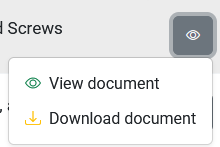
Click on "Download document".
If this does not work for you, please contact us at standards@nimonik.com
Was this article helpful?
That’s Great!
Thank you for your feedback
Sorry! We couldn't be helpful
Thank you for your feedback
Feedback sent
We appreciate your effort and will try to fix the article