The new document transfer feature lets you buy a standard, then transfer ownership directly to the end user. Make sure you DO NOT open or view the document beforehand. You will NOT be able to transfer the license if the document has been viewed.
When viewing your Library, simply click on Transfer Document.
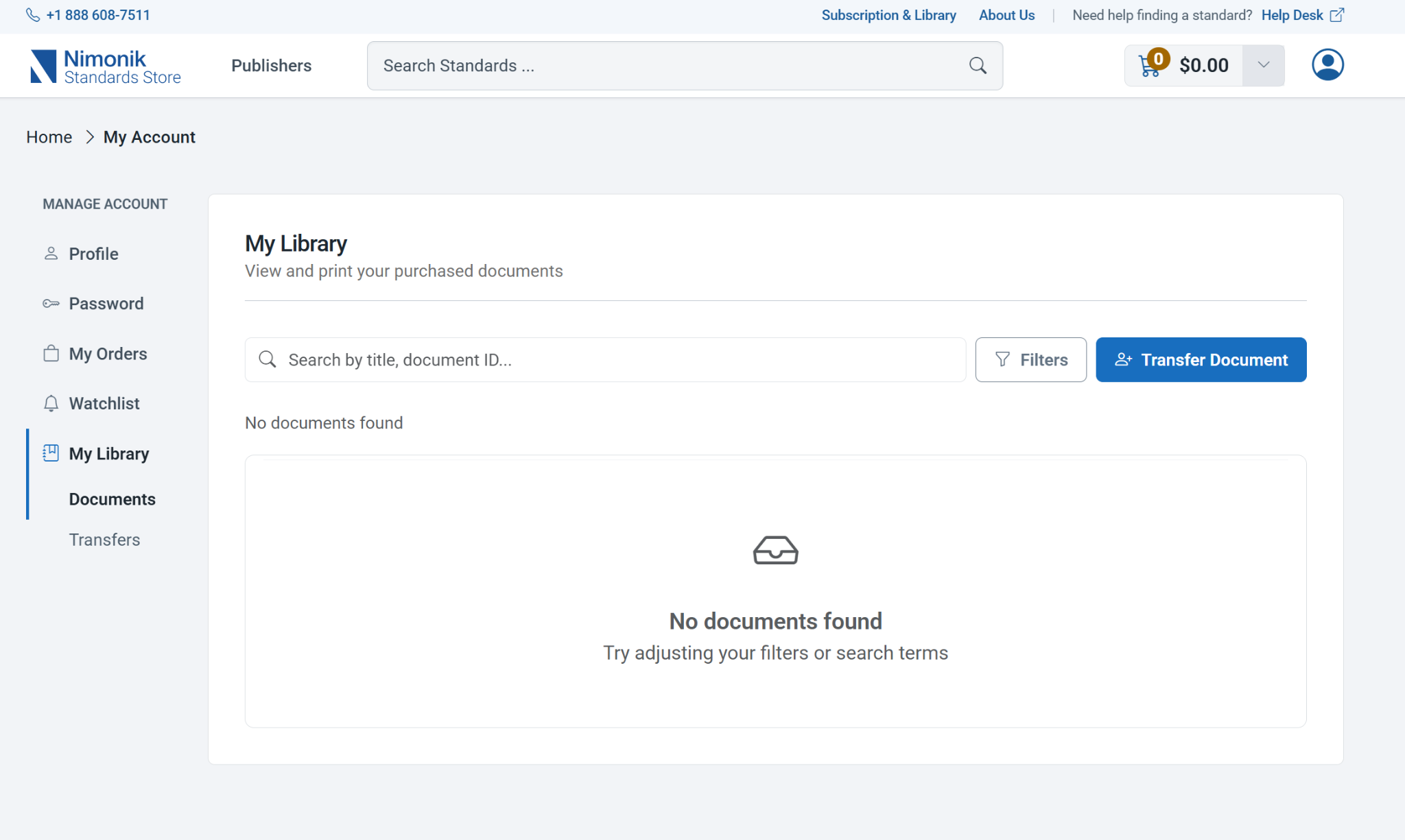
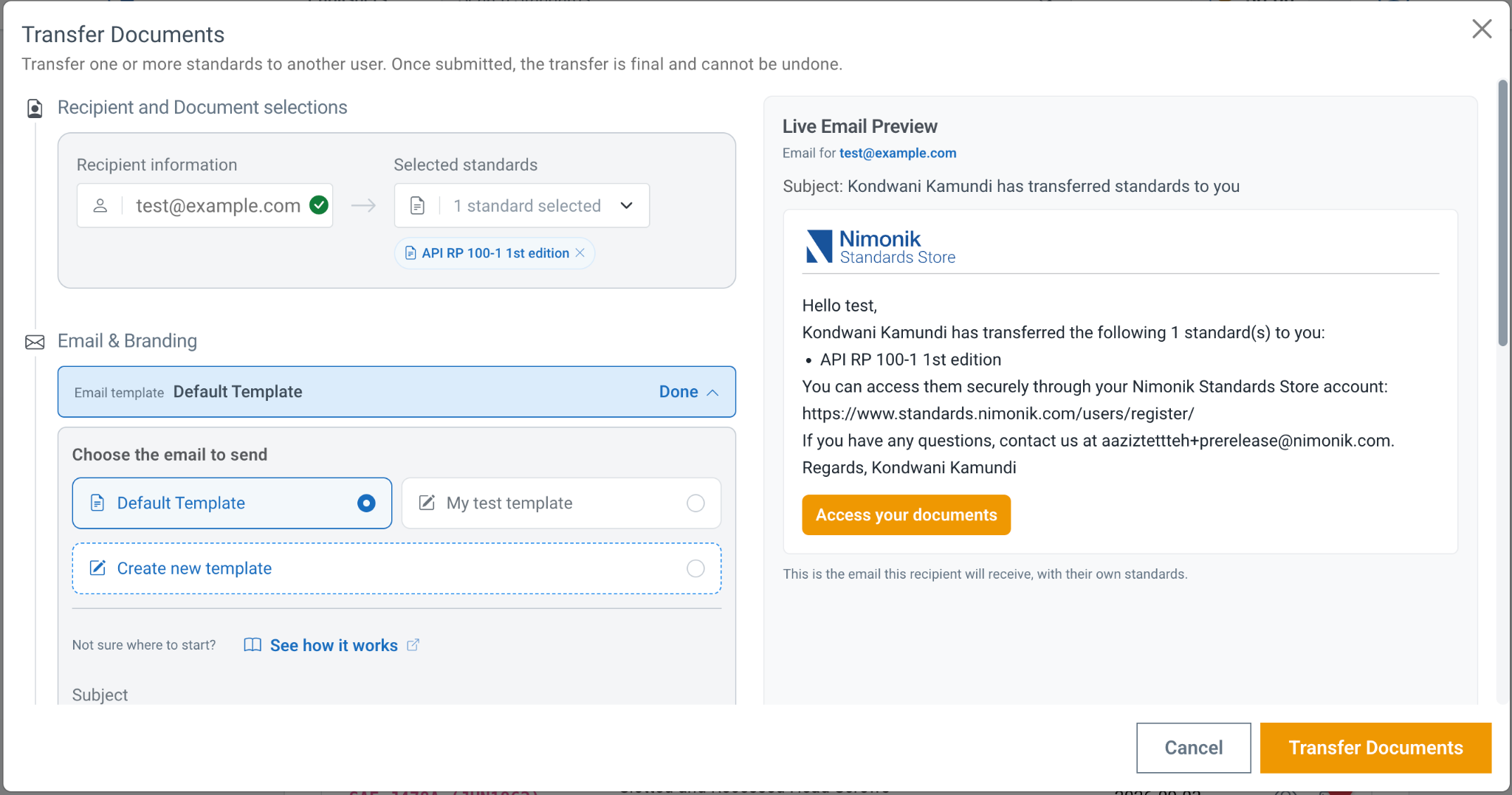
You can then enter the end-user’s email and select the document to transfer. You can also customize the email that will be sent to the end user and add your own company logo!
Transfer Rules
To ensure compliance and a smooth handoff, please keep the following guidelines in mind:
You can only transfer a document that you have not yet opened or printed.
Once transferred, a document cannot be transferred again. (If a mistake happens, simply reach out to us! We have an admin override available for exceptional cases.)
After transferring a document, you can purchase that same standard again for another client.
You only need an email address to initiate the transfer. If an end user doesn’t yet have a Nimonik Standards Store account, they can quickly create one to access their new document. Our system detects if they already have an account.
You can customize the automated email notification so your end-user receives a custom message directly from your company.
Access the Document Transfer tool in the My Library section of your account to start branding your email notifications.
Was this article helpful?
That’s Great!
Thank you for your feedback
Sorry! We couldn't be helpful
Thank you for your feedback
Feedback sent
We appreciate your effort and will try to fix the article